
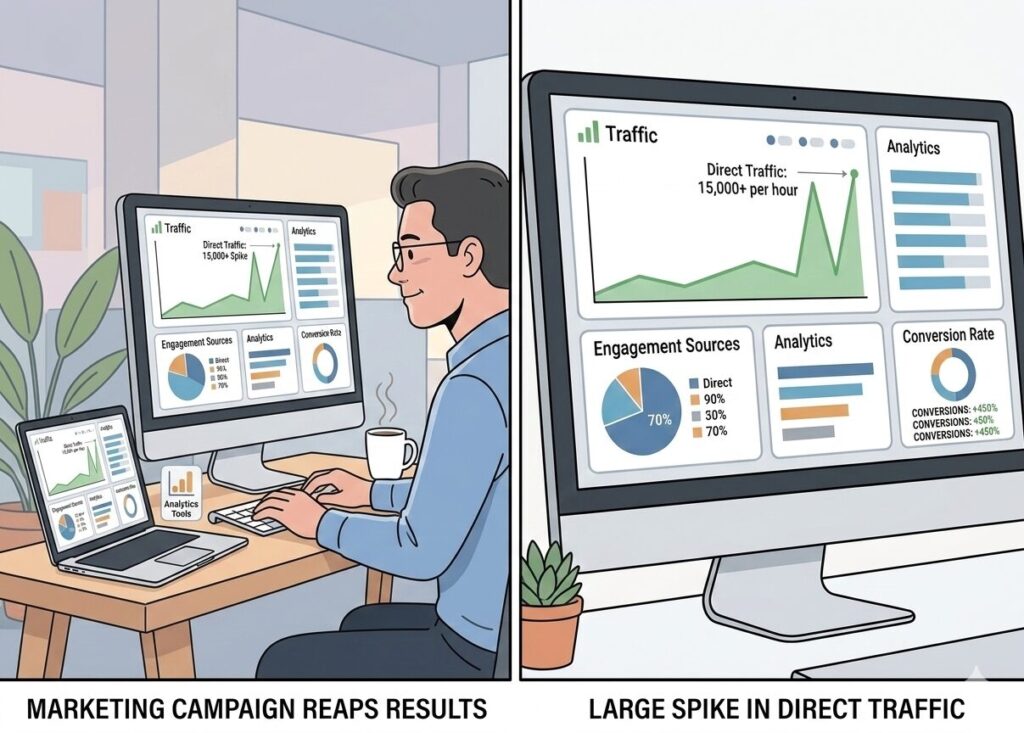
One morning, inside a routine performance check, a familiar pattern suddenly broke. Organic search remained stable, email campaigns had not changed, yet within Google Analytics 4 one metric stood out immediately, direct traffic had increased significantly overnight.
At first, it looked like a familiar analytics debate: organic search vs direct traffic. Maybe users were typing the URL directly. Maybe a campaign link had lost its tracking parameters.
But after fifteen years working with analytics platforms, I’ve learned something important: when direct traffic suddenly spikes, the story is rarely that simple.
Something new was sending visitors to the site. And it wasn’t Google.
The New Traffic Reality: AI Referrals
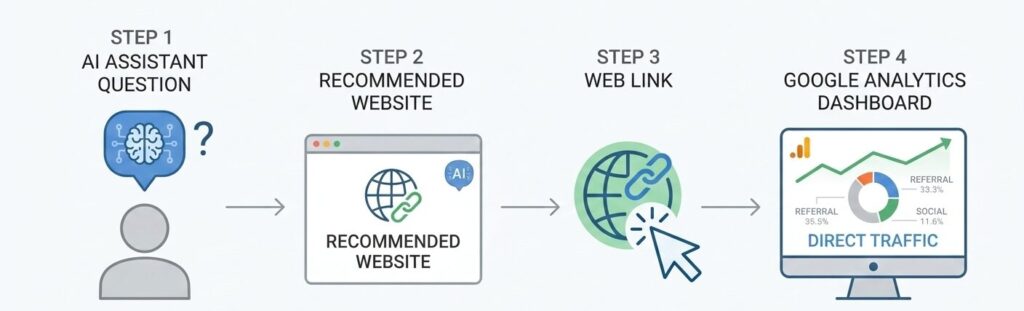
A closer look at the data revealed something interesting. These visitors weren’t typing the website URL directly. Instead, they were arriving after asking questions in AI tools like ChatGPT, Perplexity, or other AI assistants. When those tools recommend a website, the traffic sometimes arrives without clear referral information.
In Google Analytics 4, that can cause the visit to appear as Direct traffic, even though it was actually discovered through an AI response. This is where the classic comparison of organic search vs direct traffic starts to break down. What looks like direct traffic may actually be a new kind of discovery: AI-driven referrals.
Step 1: How to Identify AI Traffic in GA4
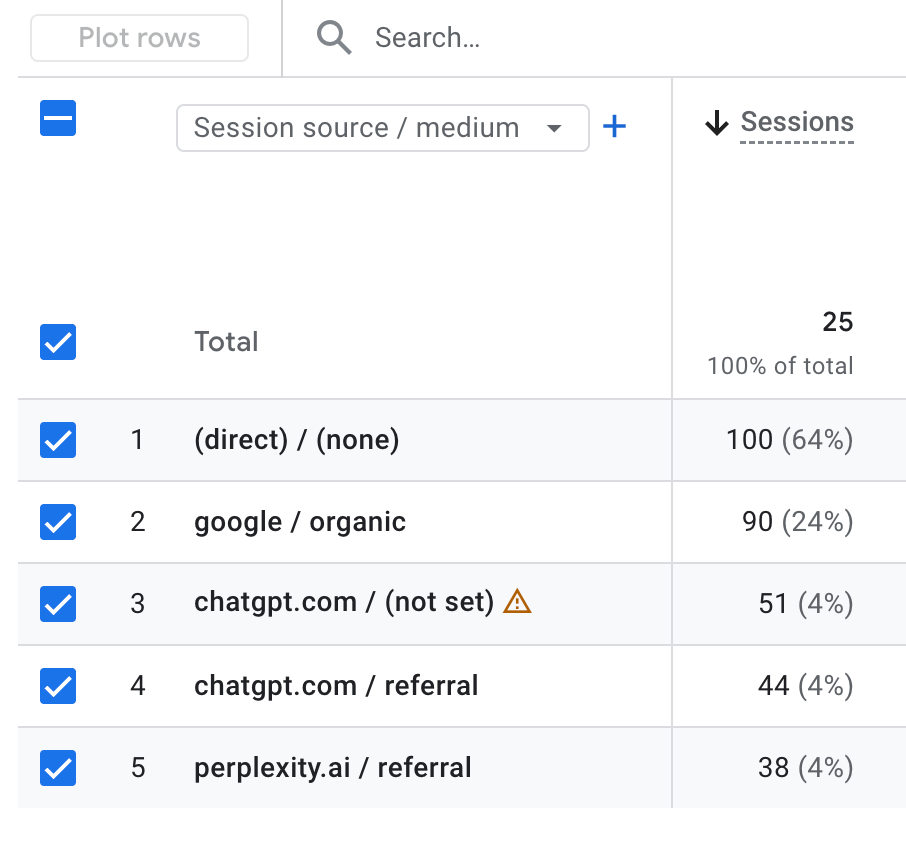
The first step is to confirm whether AI tools are actually sending visitors to your website. In Google Analytics 4, the easiest place to start is the Traffic Acquisition report. Navigate to Reports → Acquisition → Traffic Acquisition, then change the primary dimension to Session source / medium or Session source.
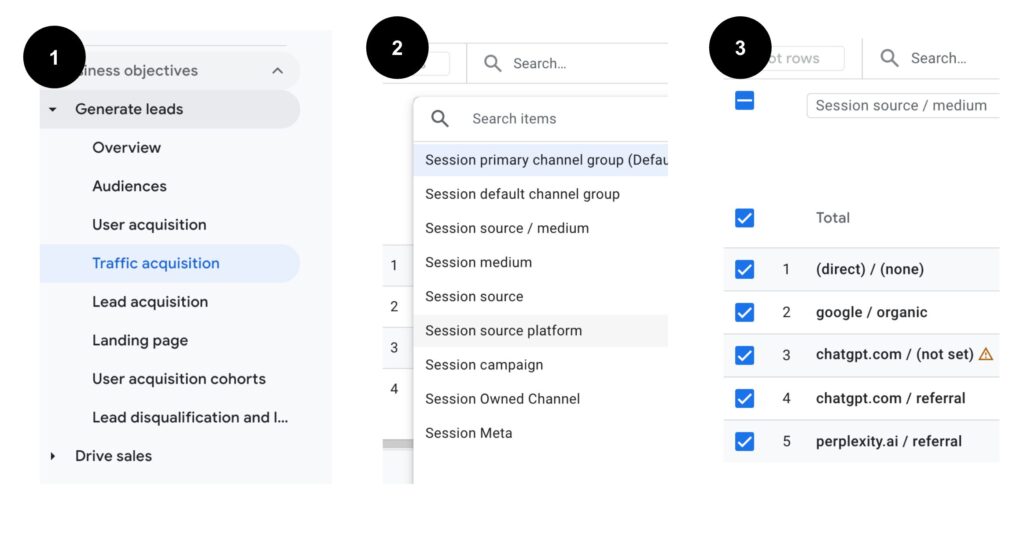
Look for sources such as chat.openai.com, perplexity.ai, copilot.microsoft.com, or gemini.google.com. These platforms increasingly recommend websites when users ask questions.
You may notice that some AI traffic appears as Referral, while other visits still fall under Direct due to missing referrer data. This is exactly why the traditional comparison of organic search vs direct traffic can sometimes hide emerging AI-driven visits.
Step 2: Create an AI Traffic Segment in GA4
Once you confirm that AI platforms are sending traffic, the next step is to create a dedicated AI traffic segment. This allows you to analyze how visitors from AI assistants behave compared to other channels.
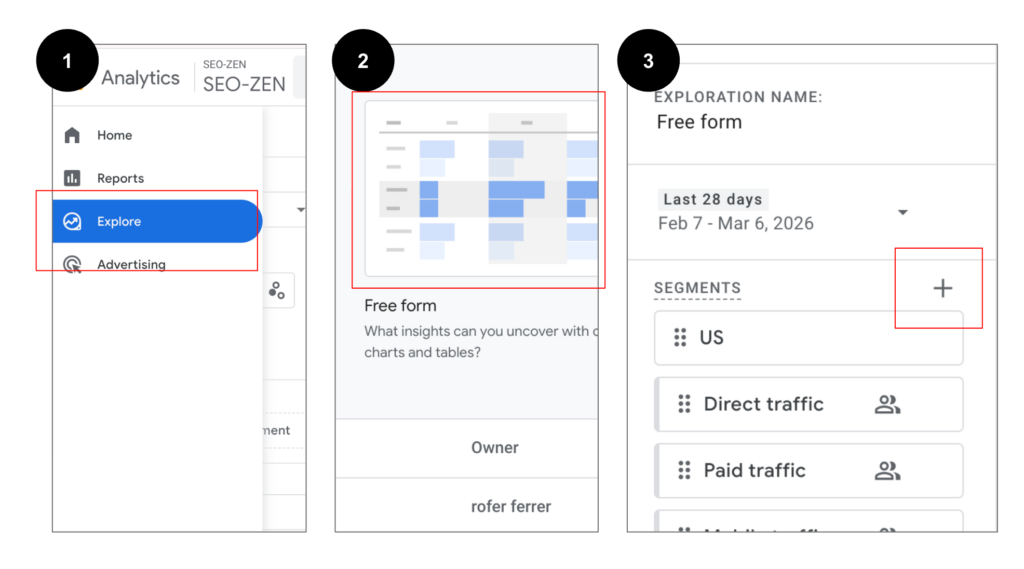
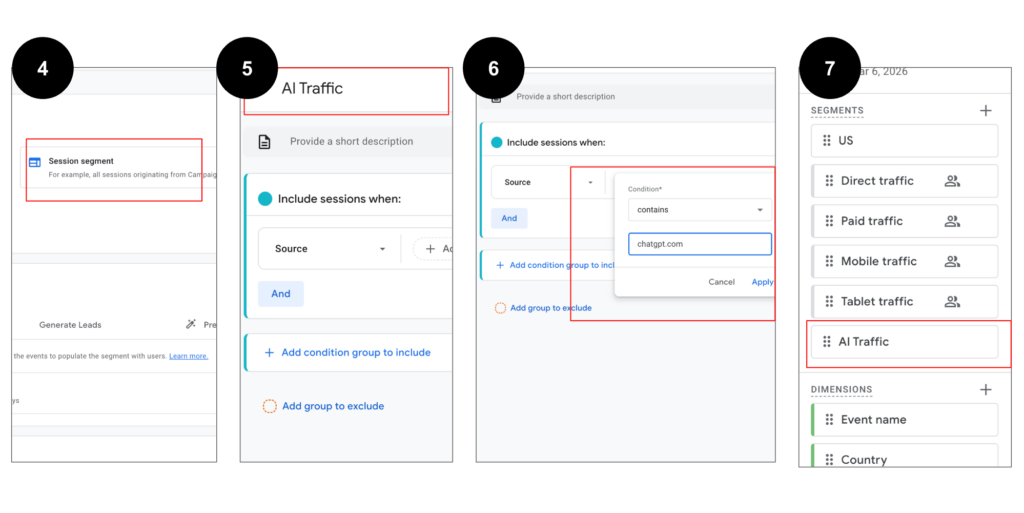
In GA4, go to Explore → Free Form Exploration, then click Segments → Create a new Session Segment. Add conditions where the Session source contains known AI platforms such as chat.openai.com, perplexity.ai, copilot.microsoft.com, or gemini.google.com.
After saving the segment, apply it to your exploration report. This lets you compare AI traffic against organic search vs direct traffic, revealing whether AI visitors behave more like search users or brand-direct visitors.
Step 3 — Build an AI Traffic Report in GA4
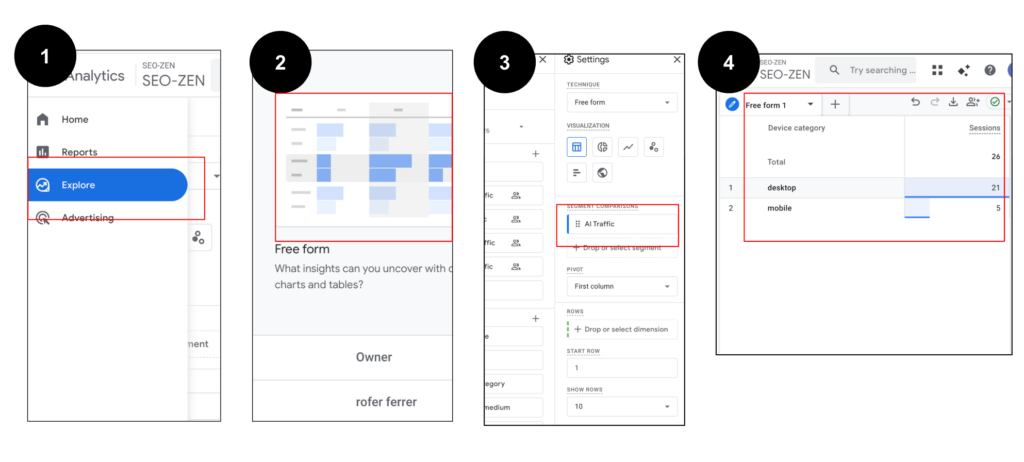
Once your AI traffic segment is created, the next step is to turn it into a simple monitoring report. In GA4 Explore, apply the AI Traffic Segment alongside other segments such as Organic Search and Direct Traffic. This allows you to compare how each traffic source performs.
Focus on metrics like Sessions, Engagement Rate, Average Engagement Time, and Conversions. You may notice that AI visitors behave more like discovery traffic, similar to search users, rather than traditional direct visitors. This comparison helps clarify how organic search vs direct traffic patterns are evolving as AI assistants become new discovery channels.
Metrics worth monitoring for AI traffic:
- Sessions
- Engagement rate
- Average engagement time
- Conversions
- Top landing pages
The Future of Traffic Attribution
For years, marketers have relied on familiar channel comparisons like organic search vs direct traffic to understand how users discover their websites. But the way people find information is changing. AI assistants are quickly becoming new discovery engines, recommending websites directly inside conversations.
As this behavior grows, analytics teams will need to adapt how they interpret traffic sources and attribution models. What looks like direct traffic today may actually originate from an AI recommendation. In the near future, traffic reports may evolve beyond organic search vs direct traffic to include a new category altogether: AI discovery traffic.
If you want to go deeper into identifying AI-driven visits in analytics reports, this tutorial from Analytics Mania demonstrates several practical ways to find and report AI traffic inside Google Analytics 4. The walkthrough explains how marketers can identify visits coming from AI tools, organize them into custom reports, and better understand how AI platforms influence website traffic and user behaviour. As AI assistants increasingly act as a discovery channel for websites, learning how to isolate and analyse this traffic becomes essential for accurate attribution and performance measurement.
Leave a Reply